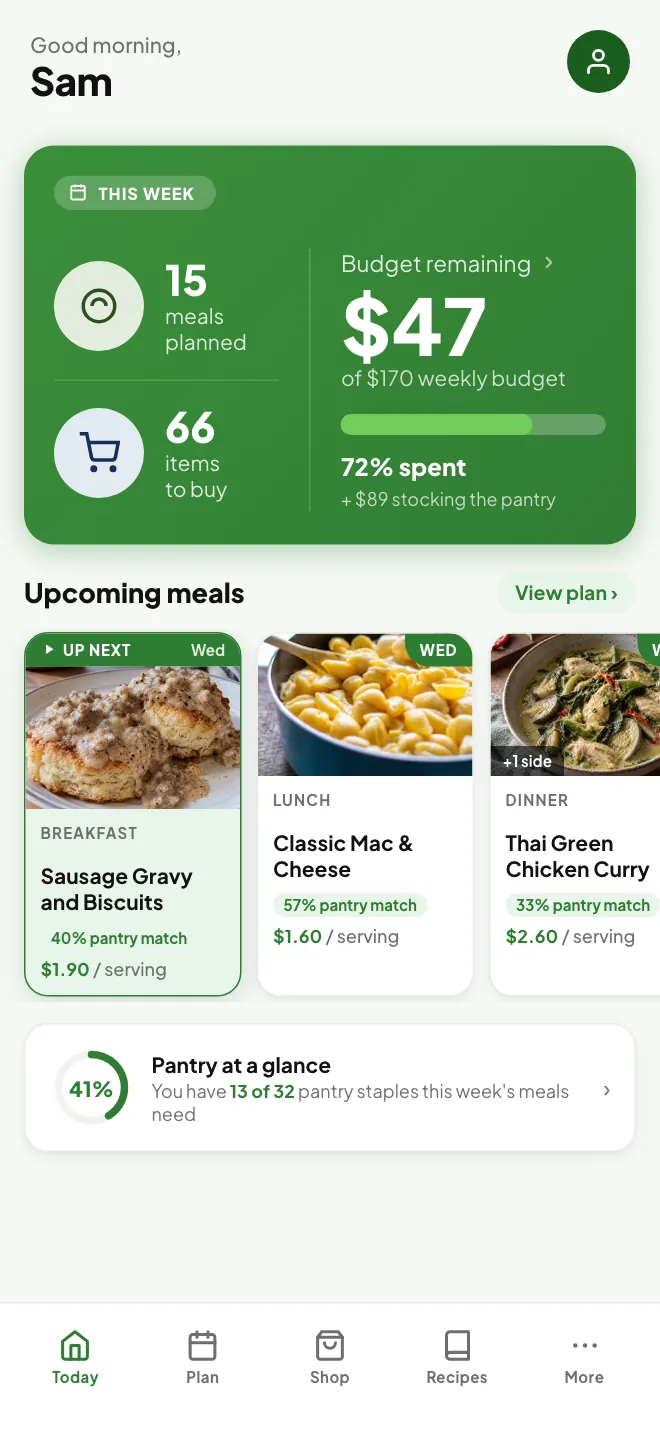
Your week of meals, figured out

Plan your meals.
Mind your budget.

Tell MealTab what you want to spend and who you're cooking for. It plans breakfast, lunch and dinner for the week, prices every ingredient and writes your shopping list.

Free on Android now. iPhone coming soon.

4.8 out of 5 from early users

Every one of them said they would use MealTab again to plan next week.

“An all in one app to pick your meals, give you the recipes and plan your shopping trip while staying in your budget, it's like having a personal shopper and chef in your pocket.”
Kristen C.Early user
“If you have a constant struggle of coming up with different meals for your family, this is the easiest way to plan family meals and stay within budget.”
Ashley B.Early user
“The MealTab app takes the guesswork out of grocery shopping… Using MealTab makes meal planning effortless, reducing dinner stress, cutting food waste, and making it easier to budget and plan for the week.”
Amy M.Early user

From early users recruited through BetaTesting.com, October 2026.

How it works

Three steps to a planned week.

Set things up once. After that, planning a new week takes a tap.

1

Set your budget

Pick a weekly budget, then add how many adults and kids you cook for, your diet and allergies, and how much time you have to cook.

2

Smart Plan fills it in

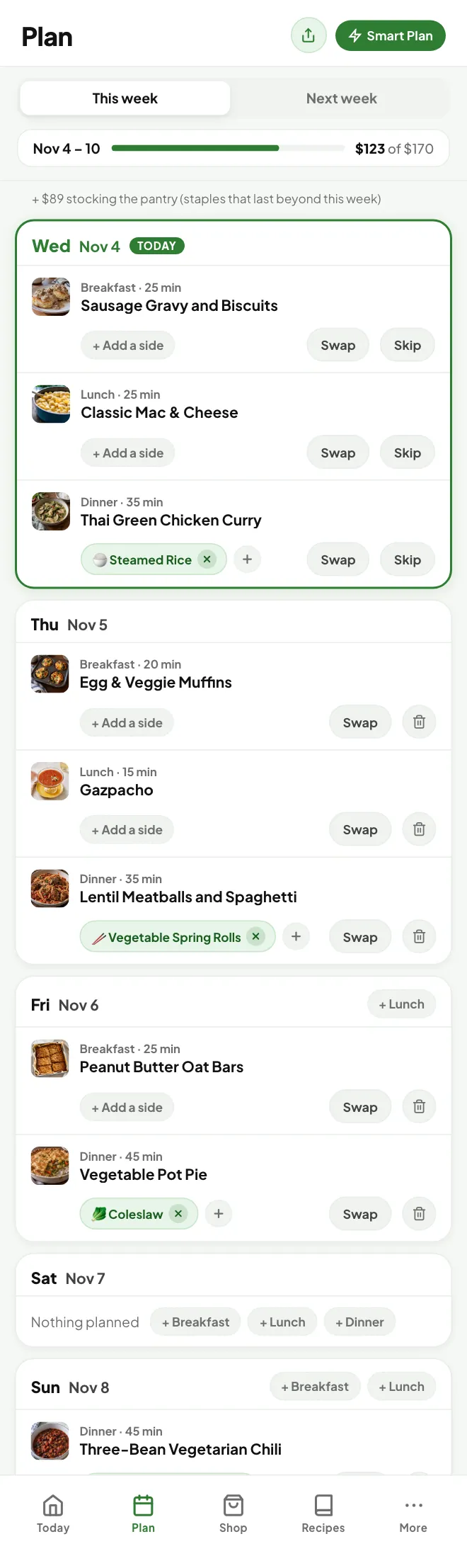
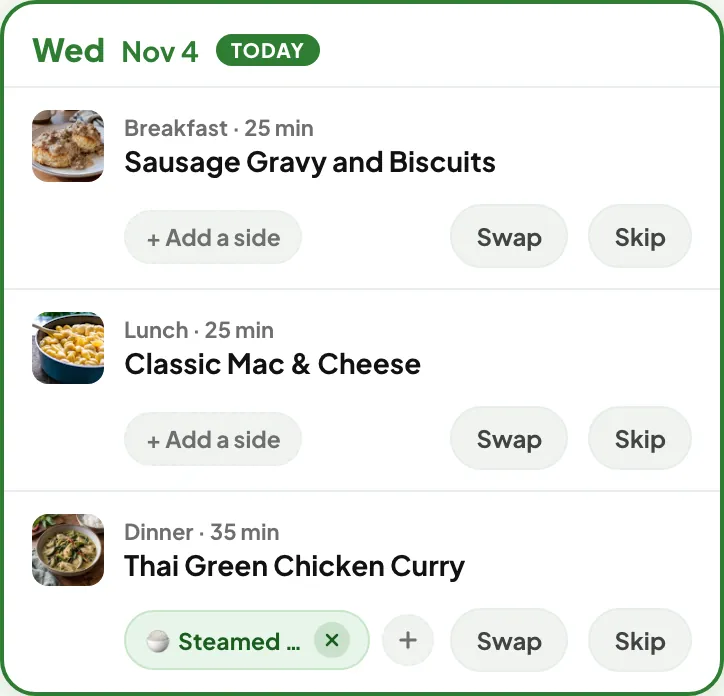
A full week of meals that fits your budget. Swap anything you don't like, or regenerate the whole plan.

One day in the plan with breakfast, lunch and dinner
3

Shop one list

Every ingredient for the week, grouped by aisle and priced, minus what you already have at home.

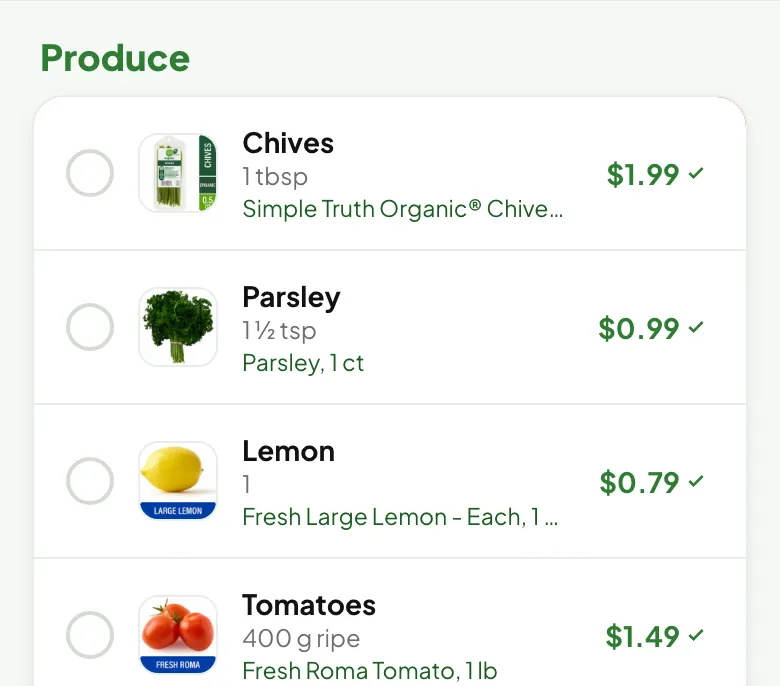
Produce on the shopping list with live store prices
Features

Everything a week of home cooking needs.

MealTab keeps track of the budget, the pantry, the shopping and the leftovers, so you don't have to.

Smart Plan

A whole week, planned around your budget.

Smart Plan builds breakfast, lunch and dinner for every day you choose, and shows you the whole plan before anything changes.

  • Fits your budget. Every meal is priced, and the plan stays under the number you set. Change the budget for just one week without touching your usual one.
  • Fits your time. Quick weeknight meals, or quick weekdays with more cooking on the weekend.
  • Fits your diet. Omnivore, pescatarian, vegetarian, vegan, keto or paleo, with 8 common allergens and any foods you'd rather avoid left out.
  • Uses what you have. Ingredients already in your pantry are worked into the plan first.
  • Learns your taste. Your ratings, favorites and swaps shape the next plan.
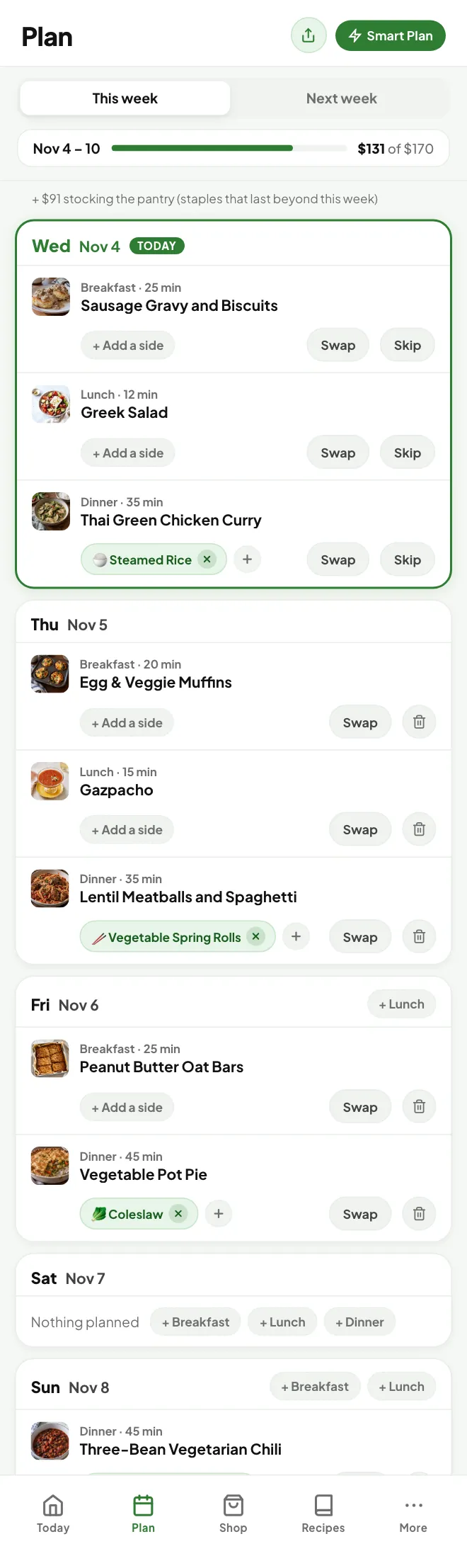
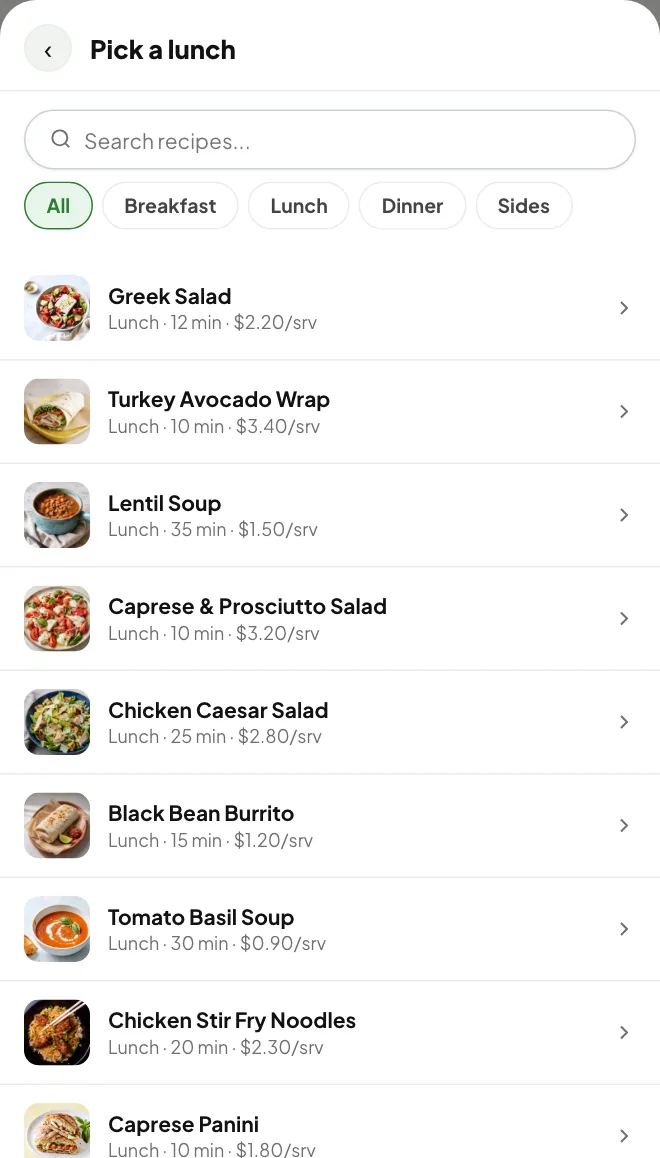
  • Easy to change. Swap any meal, skip a day, add a side, or regenerate. Plan this week or get a head start on next week.
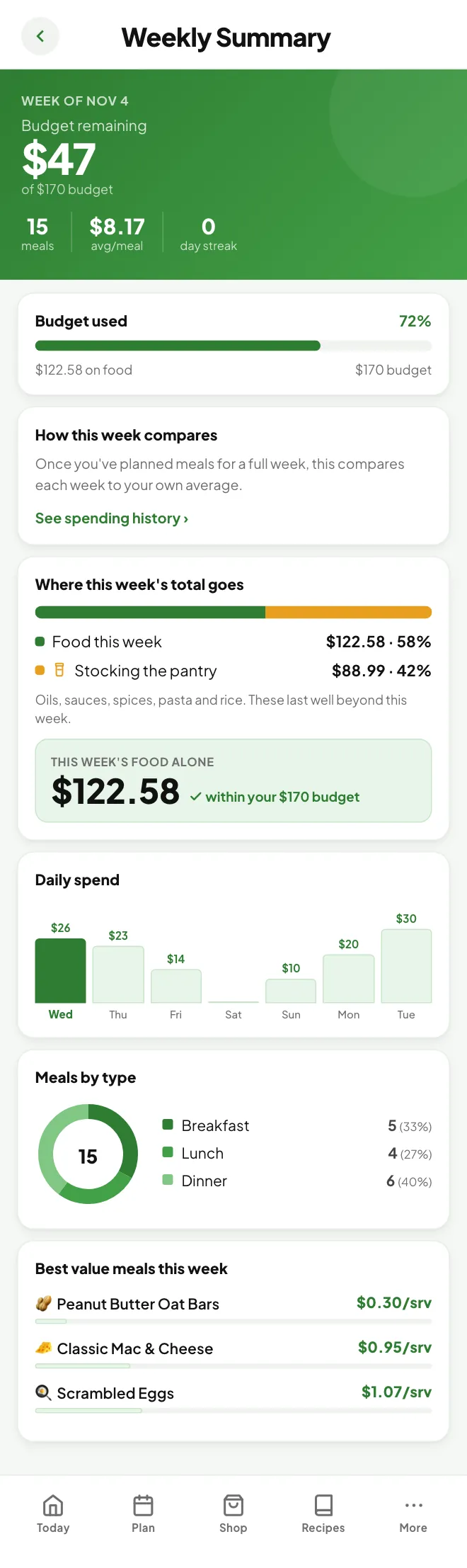
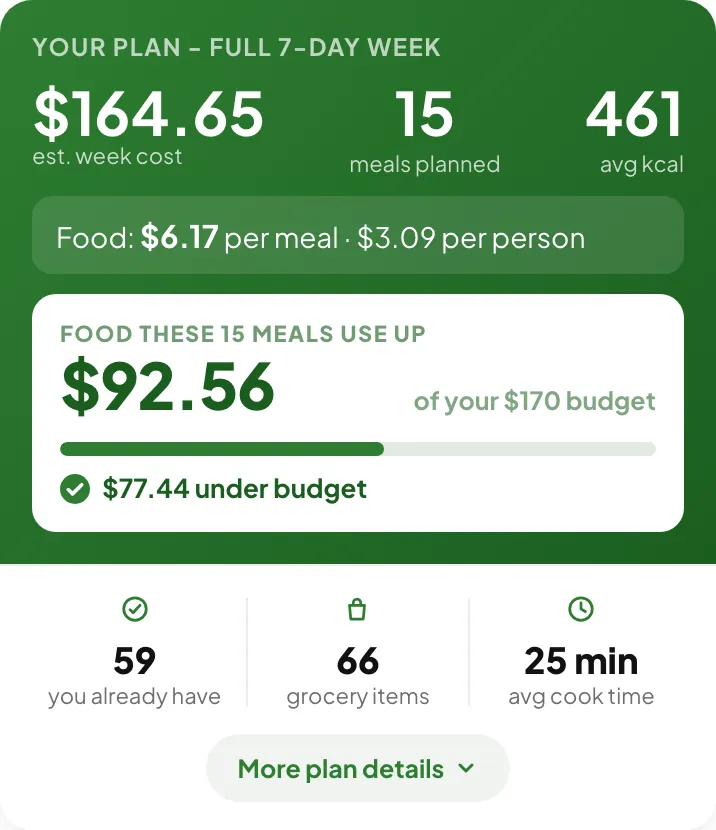
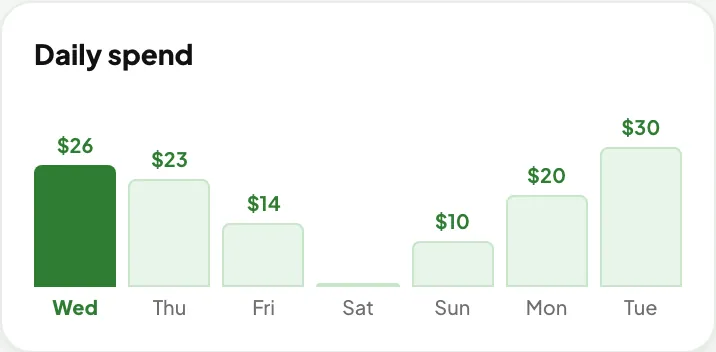
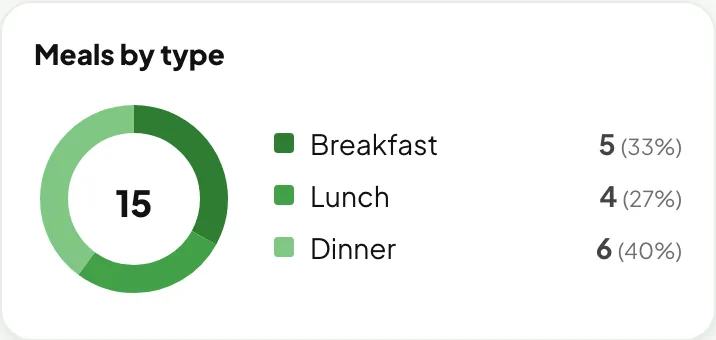
Plan summary: week cost, 15 meals, food cost under budgetWeekly summary chart: daily spend for each day of the weekWeekly summary chart: meals by type, breakfast, lunch and dinner
Shopping list

The list writes itself.

Every ingredient from your plan, added up across the week and grouped by aisle, with a price on each item.

  • Only what you need. Pantry items and food left from an earlier shop come off the list.
  • Live prices at Kroger stores. Connect Kroger, Ralphs, Fred Meyer, King Soopers or another Kroger-owned store with your ZIP code for prices from that store.
  • Send it to your cart. Add the whole list to your Kroger cart for pickup or delivery, and check out there as usual.
  • Real prices anywhere else. Scan your receipt after you shop, and MealTab remembers what you paid. Receipts are read on your phone, not uploaded.
  • Check off as you go, or copy the list to share it.
A full shopping list of 63 items, every one with a live Ralphs price, grouped by aisle
Pantry and leftovers

Use what's already in the kitchen.

Tell MealTab what you keep on hand once. It stays off your shopping list and gets worked into your meals.

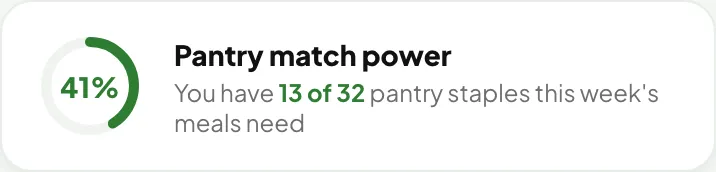
  • Pantry match. See how many of this week's staples you already have.
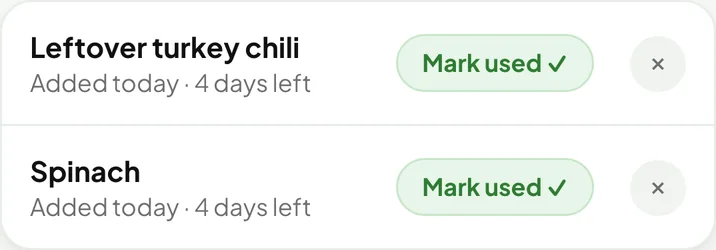
  • Leftovers tracked. Add leftovers yourself, or let MealTab add them when you skip a meal or buy more than the plan uses.
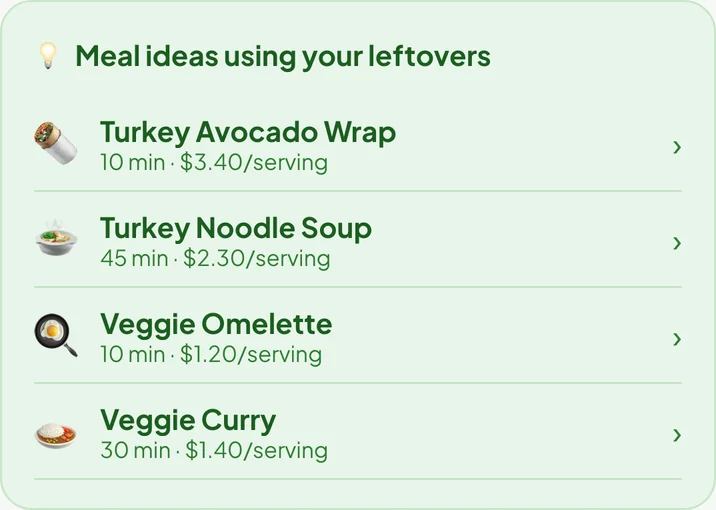
  • Meal ideas that use them up, with a reminder before they go bad.
  • Nothing bought twice. If next week's meals need something you still have, it comes off that list.
Pantry match powerLeftovers in the fridge with days leftMeal ideas using your leftovers
Recipes

300+ recipes, plus your own.

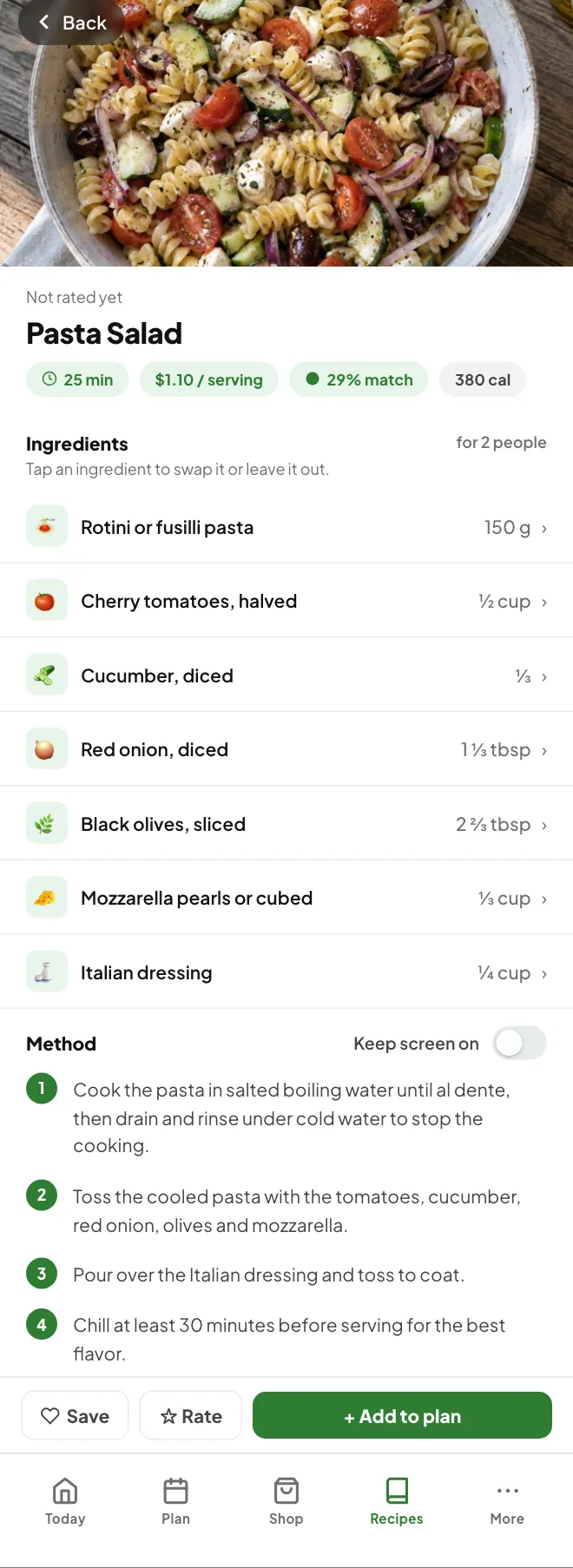
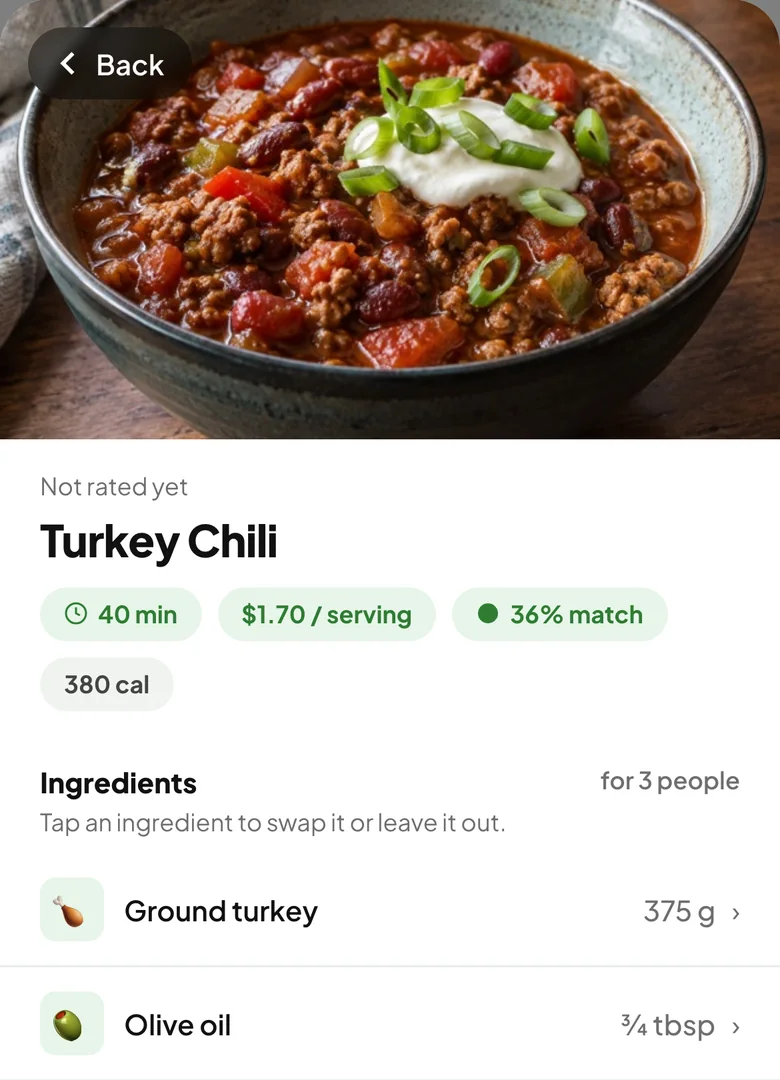
Breakfasts, lunches, dinners and sides, each with photos, step-by-step instructions and a cost per serving.

  • Sized for your household. Ingredient amounts scale to the number of people you cook for.
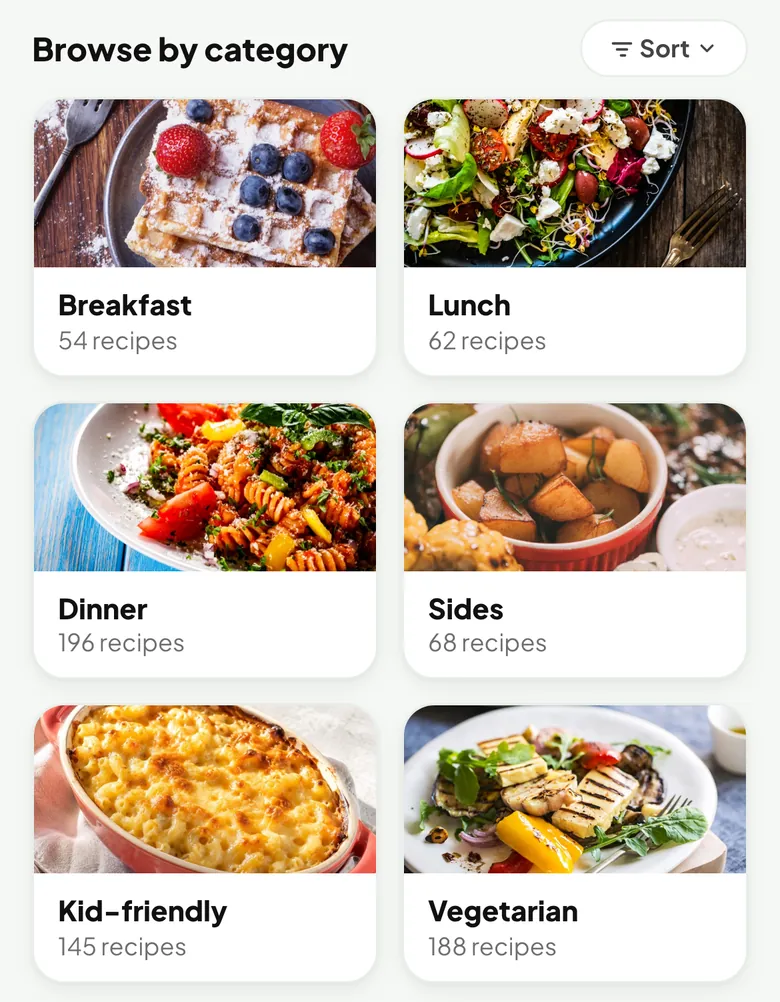
  • Browse your way. By meal, diet, cuisine, quick, or kid-friendly. Sort by rating, cost, time or pantry match.
  • Swap an ingredient or leave it out, right in the recipe.
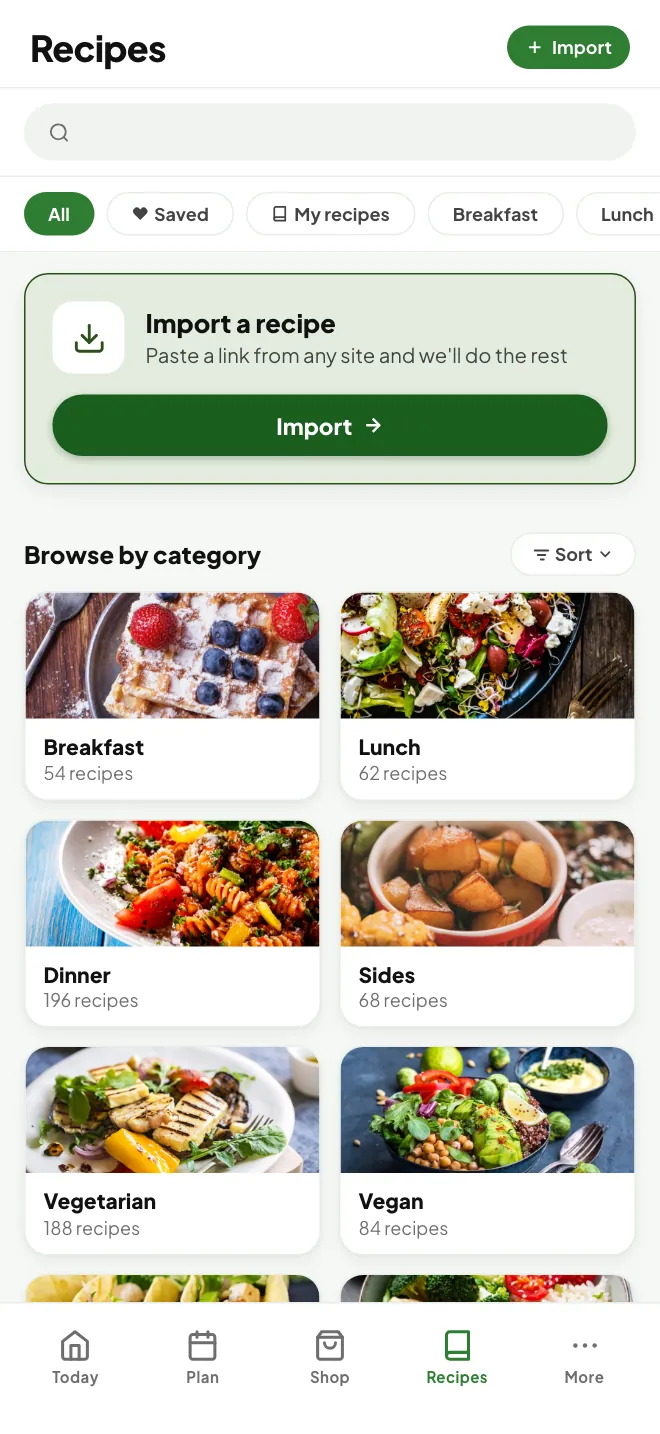
  • Bring your favorites. Paste a link from a recipe site, paste the recipe text, or type it in. Imported recipes are priced and ready to plan.
Recipes browsed by categoryTurkey Chili recipe with time, cost per serving and pantry match
For families

Meals the kids will eat too.

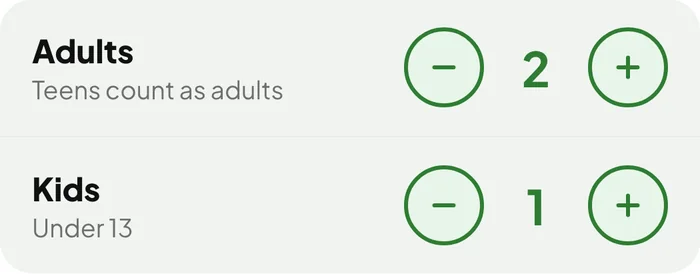
Add how many adults and kids you cook for. With kids in the house, Smart Plan leans toward familiar favorites like pancakes, tacos and mac and cheese.

  • Portions for everyone. Recipes and the shopping list are sized for your whole household.
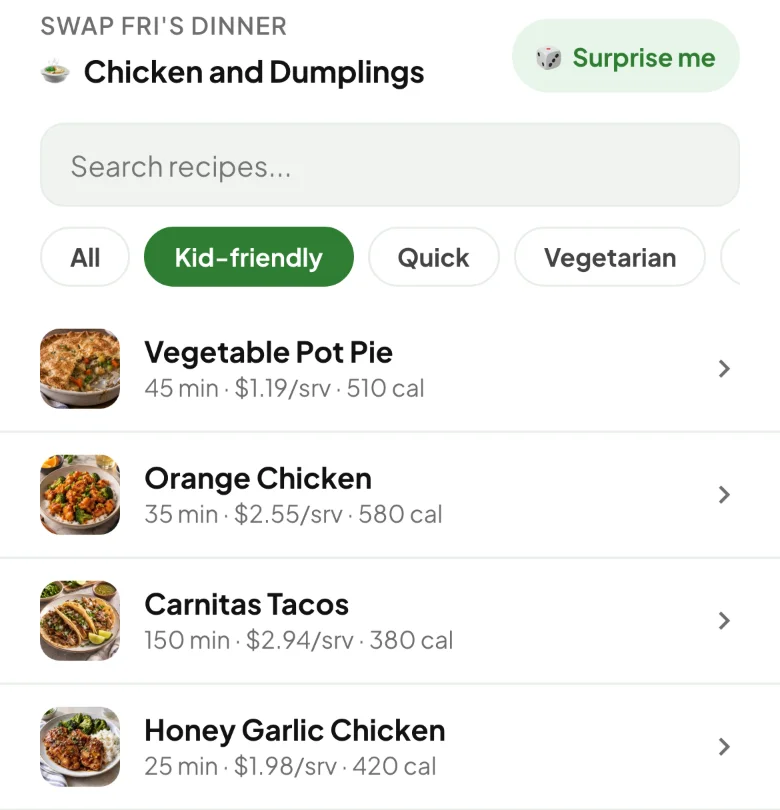
  • A Kid-friendly category in Recipes, and a Kid-friendly filter when you swap a meal.
  • Budget first. A tight week can still include a few other meals to stay on budget.
Household counts for adults and kidsSwapping a dinner with the Kid-friendly filter on: pot pie, orange chicken, carnitas tacos
Spending

See where the money goes.

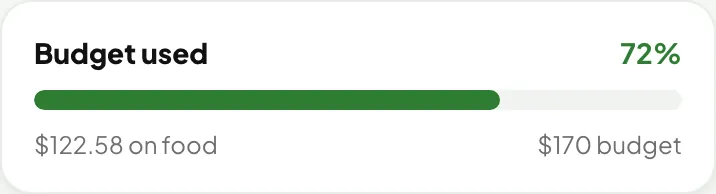
The weekly summary shows how much of your budget the week uses, so there are no surprises at the register.

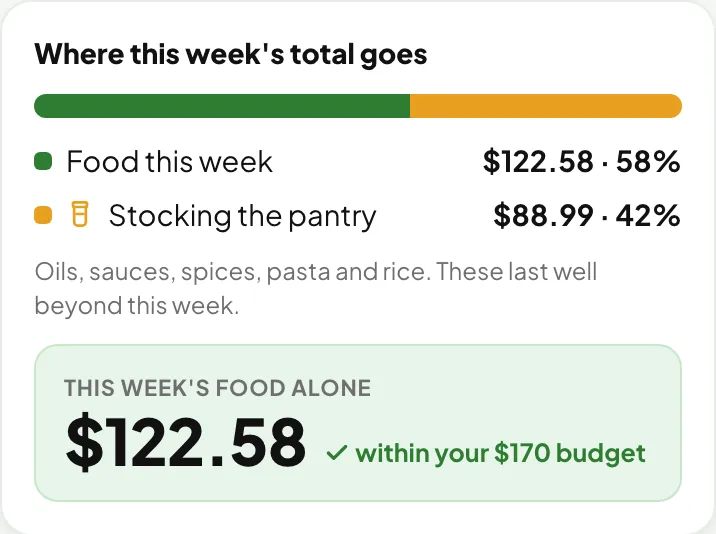
  • Food vs. pantry staples. What this week's meals use, separate from oils, spices and other staples that last for weeks.
  • Cost per meal and per day, and how each week compares with your own average.
  • Meal history. The meals you've cooked and what each week cost.
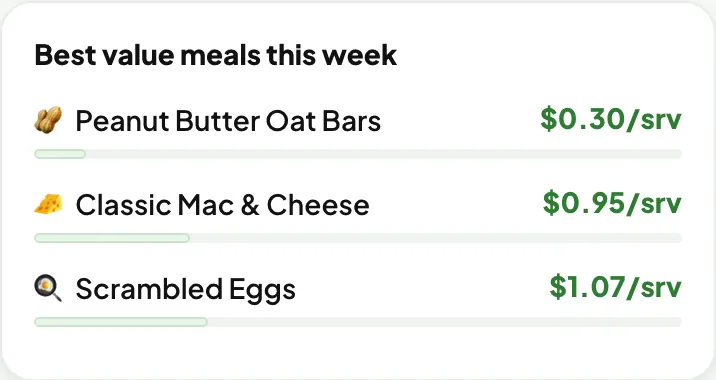
Budget usedWhere this week's total goes: food vs. pantry staplesBest value meals this week, with cost per serving
And more

The little things add up.

Phone and tablet in sync

Sign in with Apple, Google or email to back up your data and keep your devices in sync. It's optional.

Works offline

Your plan, list, pantry and recipes are saved on your device. Live prices and recipe import need a connection.

Gentle reminders

Optional reminders to plan your week and to use leftovers before they go bad, scheduled on your device.

Rate what you cook

A quick rating after dinner helps Smart Plan pick more of what you like.

Your data, your call

Export everything anytime, move it to a new phone, or erase it from the app.

Free

No subscription and no account needed to start.

FAQ

Questions, answered.

Is MealTab free?

Yes. MealTab is free to download and use, with no subscription.

Is it on iPhone?

MealTab is on Google Play now. The iPhone app is in App Store review and coming soon.

How accurate are the prices?

Prices start as typical US grocery prices. Connect a Kroger-owned store for live prices from that store, or scan your receipt after you shop so MealTab uses what you actually paid. You can also tap any price to set your own.

Which stores have live prices?

Kroger and its family of stores, including Ralphs, Fred Meyer, King Soopers, Fry's, Smith's, QFC, Harris Teeter and others. At any other store, receipt scanning keeps your prices real.

Do I need an account?

No. Everything is saved on your device. Signing in is optional and backs up your data and syncs it between your phone and tablet.

Can it plan for my diet or allergies?

Yes. Choose omnivore, pescatarian, vegetarian, vegan, keto or paleo, mark allergies to gluten, dairy, nuts, eggs, shellfish, soy, fish or sesame, and list any foods you'd rather avoid.
Now on Android

Next week can be easier.

MealTab is on Google Play now and coming soon to the App Store.

Get it on Google Play